Turning projector ON from STANDBY turns on lamp.
This is a common problem with NEC Series II projectors. The problem occurs when the projector has been shutdown with the lamp on or in lamp cooling mode. If the projector is placed into STANDBY mode before the lamp shutdown cycle completes, the lamp will always come on whenever the projector is taken from STANDBY to ON mode.
The fix for this problem is actually quite easy. The instructions are below:
1. Log into the projector with the current version of the NEC DCC (Digital Cinema Communicator) software. You will see a screen like this:
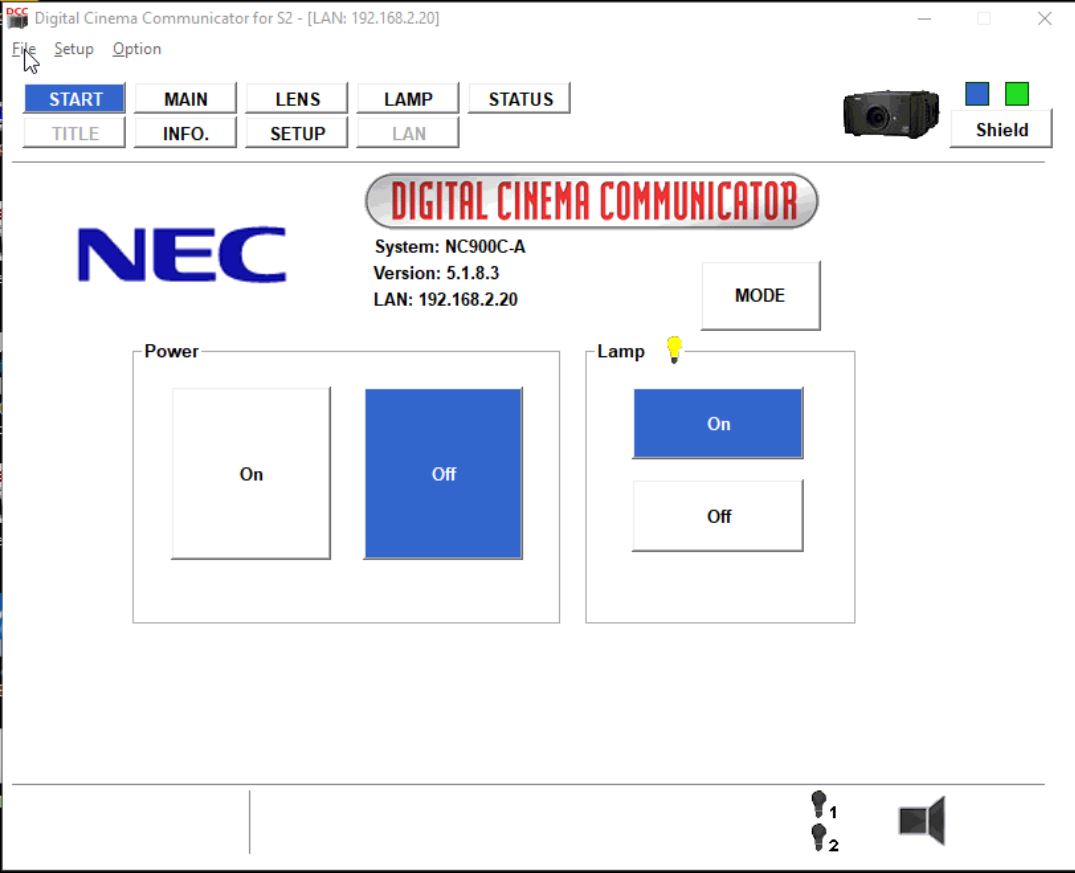
Note that while the projector power is OFF, the lamp says that its ON.
2. Switch the lamp setting to OFF
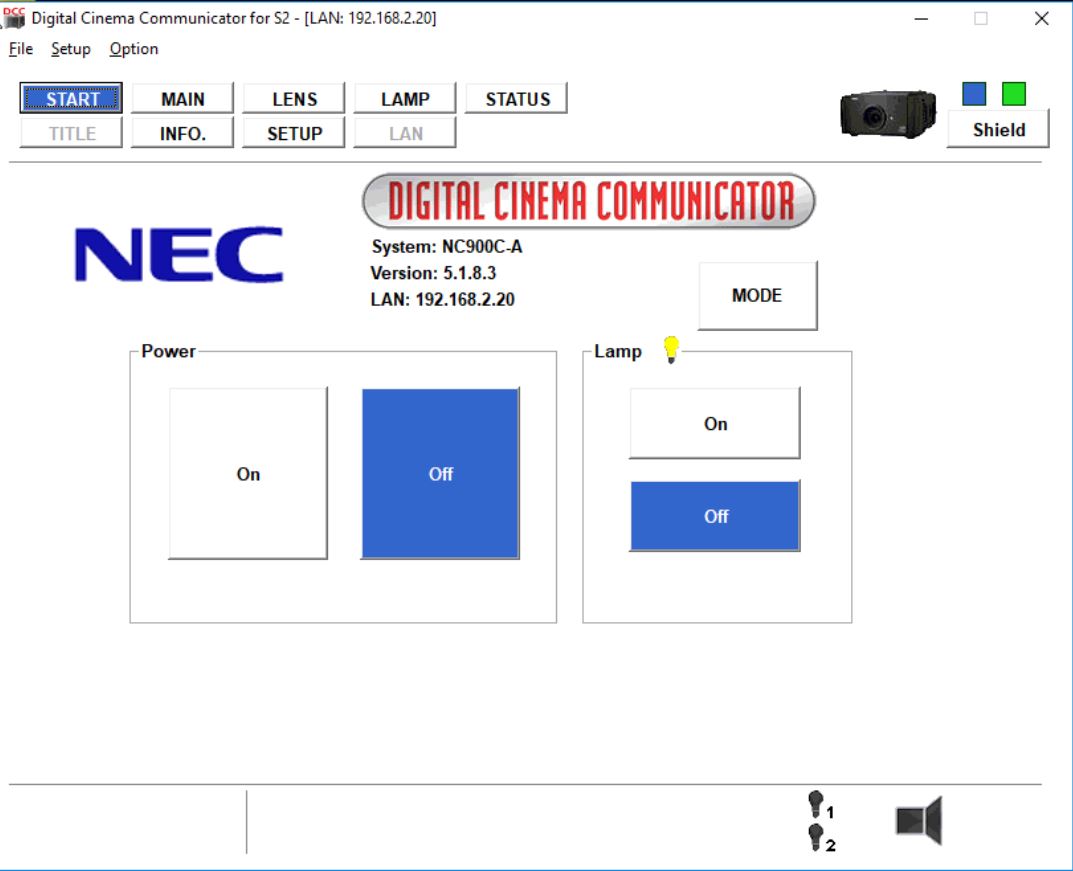
3. Turn the projector ON and resume normal operation.